

成品
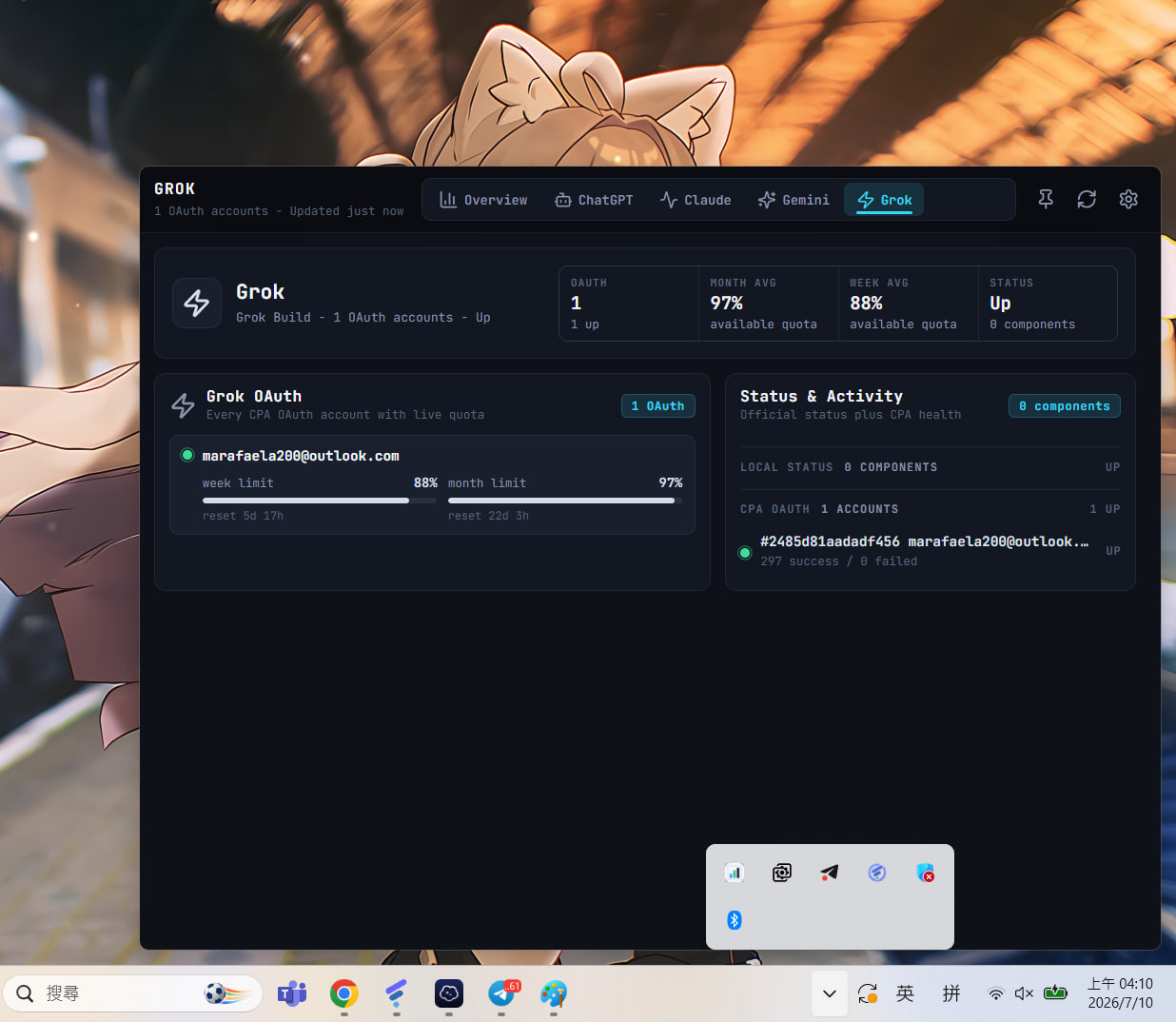
| Provider 聚焦页 | Overview | 成本历史 |
|---|---|---|
 |
 |
 |
项目地址https://github.com/ZYHUO/CLIProxy-Quota-Tray
首次配置
- 点右上角 ⚙ 打开 Settings:
- CLIProxyAPI Base URL:你的 CPA 管理地址,例如
http://127.0.0.1:8317/v0/management(只填host:port也可以,会自动补全路径)。
CPA 在远程服务器时需要其配置remote-management.allow-remote: true。 - Management Key:CPA 配置里的
remote-management.secret-key明文。 - Poll seconds:自动刷新间隔,默认与最小值均为
1200(20 分钟)。 - Queue batch:每次从 usage queue 读取的记录数,默认
200。
- CLIProxyAPI Base URL:你的 CPA 管理地址,例如
- 点 Save——连接成功后账号与配额会立刻加载。
- 若 Cost 卡片显示 "Queue off",点 Settings 里的 Enable usage queue
开启 CPA 的用量统计(等价于管理 APIPUT /usage-statistics-enabled)。
注意:CPA 的
usage-queue是消费型队列——读取即取走。本应用会把读到的记录
落盘到本地%APPDATA%\CLIProxy Quota Tray\quota-monitor\usage-events.jsonl,
后续图表从本地历史计算。同一个 CPA 不要同时开多个消费端,否则成本统计会互相分流。
配额刷新语义
- 账号/用量每次轮询都会刷新;配额窗口默认缓存 20 分钟(避免频繁请求 OAuth
provider 端点),点右上角 ↻ 会强制刷新配额。 - 账号行显示
not loaded= CPA 还没返回该账号的配额数据;如果抓取出错,
错误原因会以红字显示在账号行内(常见:CPA 版本过旧没有/api-call端点、
CPA 服务器出网被 Cloudflare 拦截、账号 token 过期需要重新登录)。
数据来源
CLIProxyAPI Management API:
GET /auth-files?all=true/GET /usage-statistics-enabledGET /usage-queue?count=.../GET /api-key-usagePOST /api-call(以$TOKEN$占位符由 CPA 注入对应账号的 OAuth token)
Provider 配额(经 CPA /api-call 代理):
- ChatGPT/Codex:
https://chatgpt.com/backend-api/wham/usage - Claude:
https://api.anthropic.com/api/oauth/usage(套餐来自 oauth/profile) - Antigravity/Gemini:Google Cloud Code 配额汇总端点
- Grok/xAI:
https://cli-chat-proxy.grok.com/v1/billing
官方状态:status.openai.com / status.claude.com 的 statuspage summary。
祝各位食用愉快


厉害,界面好看